
1 / 2
On this page
Tato Dig sends a hamster sliding through a garden until every grass tile has been dug. A direction starts a slide that continues to the next obstruction; you do not stop on whichever square you choose. The same daily garden has two scored rounds: first clear it against the clock, then work on a route that uses fewer moves.
The rocks make those two goals feel different. A long slide clears several tiles in one move, but it can also carry you past the turn you wanted. Planning starts with the places where Tato can actually stop, rather than treating each open square as a freely selectable destination.
Learn the slide before starting the timer
The interactive tutorial introduces the movement on a smaller board. Our 7-by-7 tutorial finished in five counted slides, with every grass tile dug. On desktop we used the arrow keys. Each successful slide counted once regardless of the number of tiles crossed, and the grass-left counter tracked the remaining work in the timed round.
Inputs during a slide can be missed. In our test, a rapid sequence did not carry out every intended turn; separate arrow presses after movement settled worked reliably. It is worth checking where the hamster has stopped before sending the next direction, especially at a narrow entrance to another part of the garden.
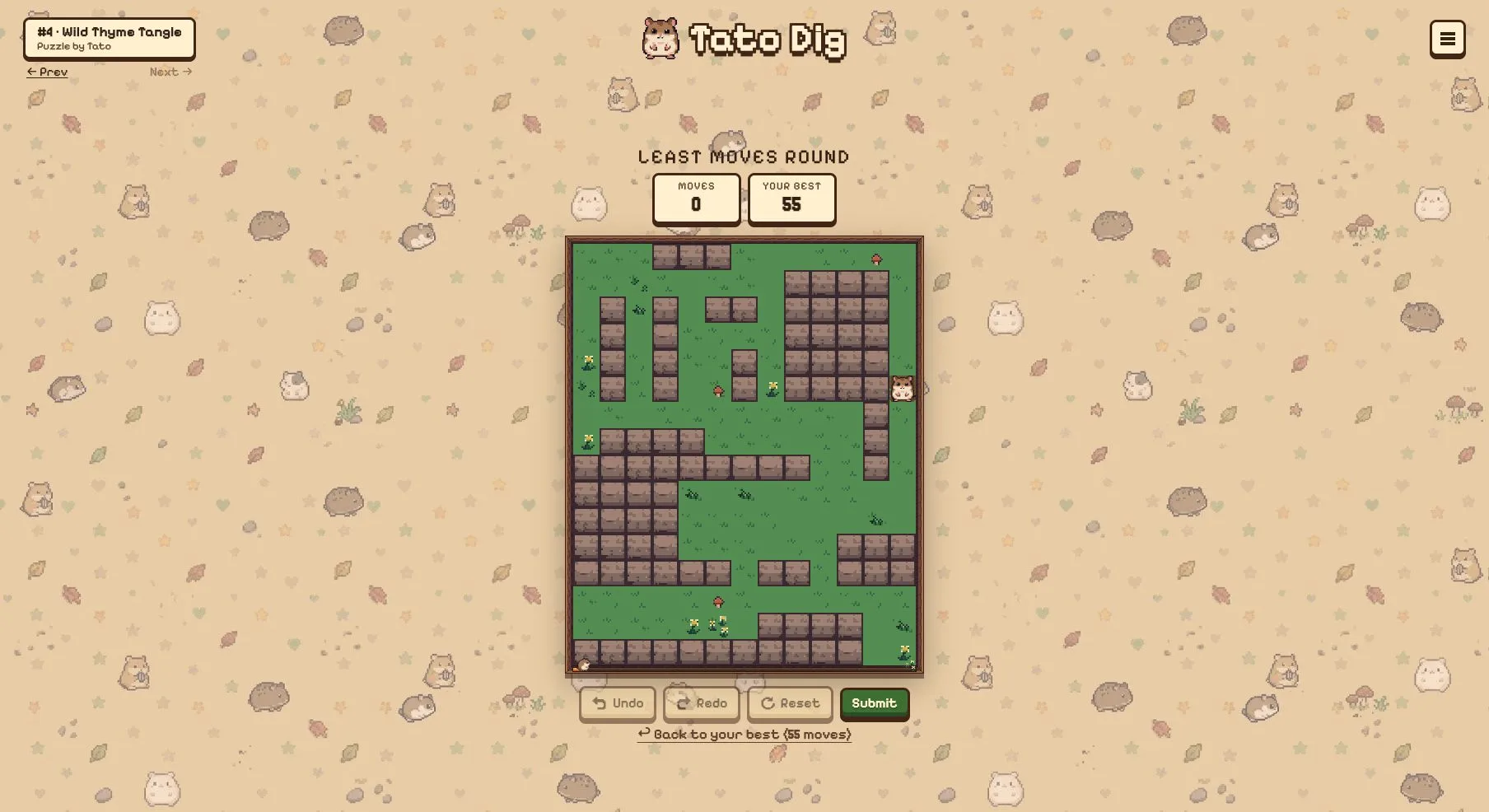
The official daily board we completed was 13 by 16 tiles with 115 grass tiles. That is one tested puzzle, rather than a fixed size promised for every day. The first clear took 55 moves and 4:51.5. That recorded time includes pauses to inspect and document the board, so it should not be read as an estimate of an ordinary play session.
Improve the route before submitting
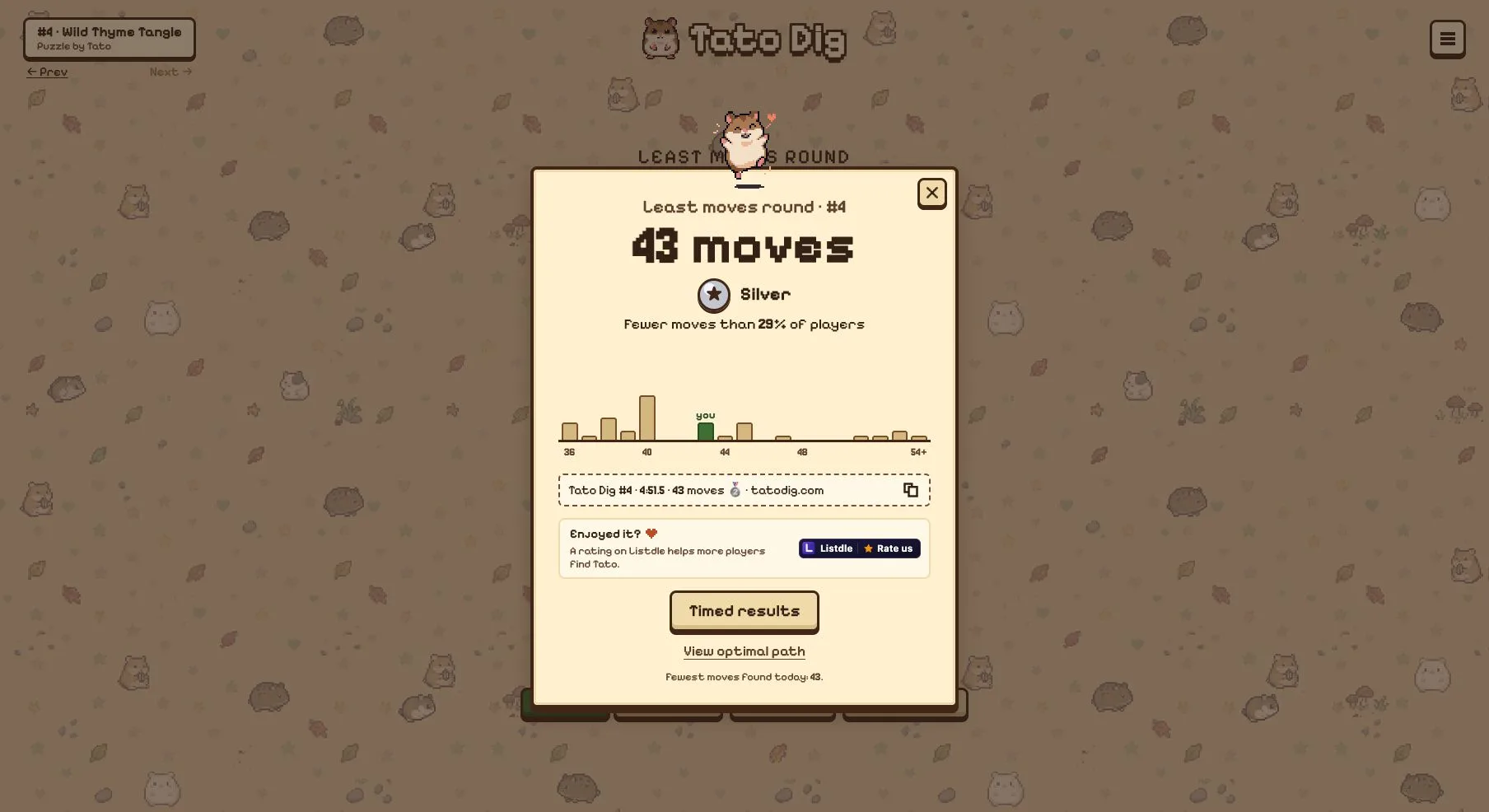
Completing the timed round opened a result panel with the time, medal outcome, a distribution chart and a button to start the least-moves round. That second round reused the garden and displayed the first route as the initial best score. Undo, Redo and Reset were available while refining a solution.
Clearing the grass does not immediately lock the second score. After our 43-move clear, the board said “Submit your best (43), or try for fewer.” Pressing Submit opened a confirmation explaining that submission locks the round. That distinction gives you time to decide whether to keep improving before committing.
Our submitted result saved successfully and showed a Silver medal, a comparison with that day’s players and a share summary containing both round scores. The interface then offered View optimal path. We did not open that reveal. The smaller tutorial was completed unaided; to finish the formal garden, we planned routes computationally from a manual transcription of its visible tiles and entered them through the normal controls. The 43-move result is therefore evidence of the scoring and submission flow, not a claim of an unaided or optimal solution.
Older gardens remain accessible
The archive lists earlier puzzles with their own detail pages and play links. We opened the first archived puzzle and verified its playable entry, but did not complete that older garden. The archive page says archived plays contribute to its charts.
The official About page describes a free game by a solo developer, supported by advertising and optional donations. Our testing covered desktop keyboard play.
FAQ about Tato Dig
Can I stop halfway through a slide?
No. A direction sends Tato sliding until an obstruction stops the movement. Plan around those stopping positions.
Does clearing the garden submit the least-moves score?
No. You can keep improving after clearing all grass. Submit opens a confirmation; confirming locks that round.
Can I undo mistakes?
The least-moves round provides Undo, Redo and Reset while you refine a route before submission.
When can I see the optimal path?
The tested interface offered View optimal path after the least-moves result was submitted. We did not open the reveal.
Player reviews
0 reviewsPlayed it? Share what you think and help the next player choose.
Your experience
Games like Tato Dig
All shapes & patterns games →
Marked
MemoryRemember briefly flashed target positions and replace them on a blank board, with distance feedback and more marks in each daily round.

Cutle
Shapes & PatternsCut a daily shape into two equal areas with one straight drag. Cutle records your first score, offers past shapes, and counts 48:52 or better as a win.

Geocrumble
GeographyRecognize three countries from separated map fragments. Wrong guesses join pieces and reveal more coastline, while continent feedback helps narrow the search and the score drops.

Flipside
Shapes & PatternsFlip two-coloured paper into an all-white target shape, plan the order of neighbouring folds, and solve three daily sheets in as few moves as possible.

Loopy
Shapes & PatternsDraw a closed loop while reducing Loopy’s numbered clues to zero through nearby bends.

Draw a single river loop through every open square, working around walls and blocked spaces. Learn the controls in the tutorial or try the daily board.